Definitions
A sheet you can browse, not a file you download
People arrive here expecting a document. That expectation comes from real history: years ago buyers swapped links in shared files, and the name stuck. What you open today is a website, laid out as a wall of product cards, sorted into categories. Nothing is downloaded and nothing is stocked.
Each card carries a picture, a name, the marketplace the seller sits on, and one link. Everything else you need comes from the marketplace listing and from HubbuyCN itself. That division of labour is the whole model: the listings page finds things, the agent buys and ships them.
One card, four parts
Read a card in the order that matters. The picture is a promise made by a seller, not evidence of what arrives. The name is community shorthand and two sellers can use the same words for different things. The badge names the marketplace behind the listing, and that decides how you buy. The link is the part the agent needs.
What a card cannot tell you is stock, current price or whether the seller is still trading. All three live on the marketplace and all three change without warning, which is why every card sends you out to check rather than quoting a number here.
What pasting a link actually does
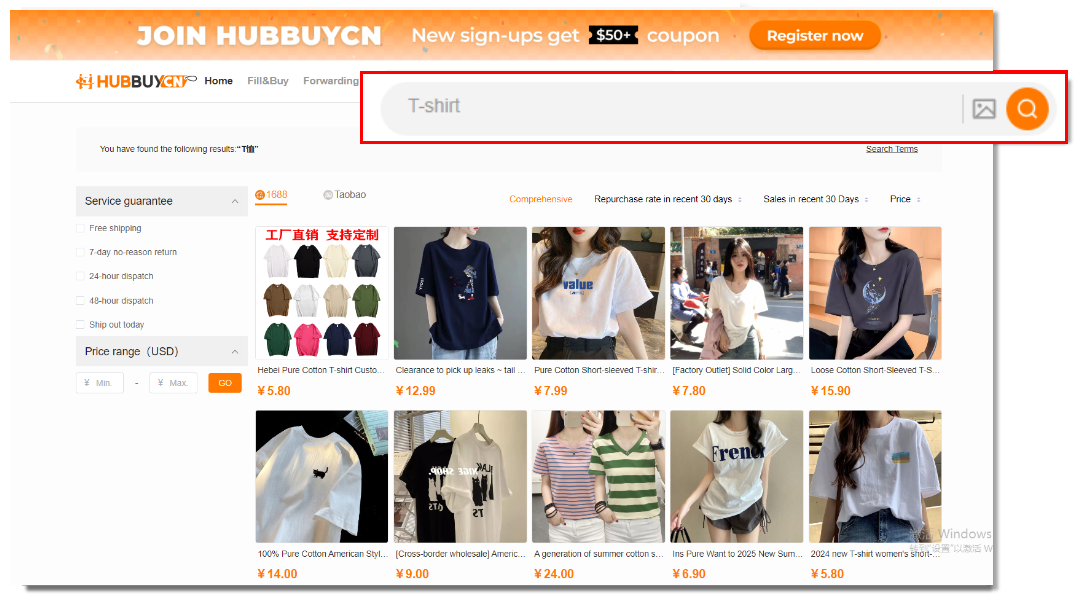
The official tutorial shows this better than any diagram we could draw: a Taobao product page on the left, the HubbuyCN search box on the right, and an arrow between them. You copy the address of the listing and paste it in. HubbuyCN rebuilds that listing inside its own pages, with the colours and sizes the seller published, and from there it behaves like an ordinary checkout.
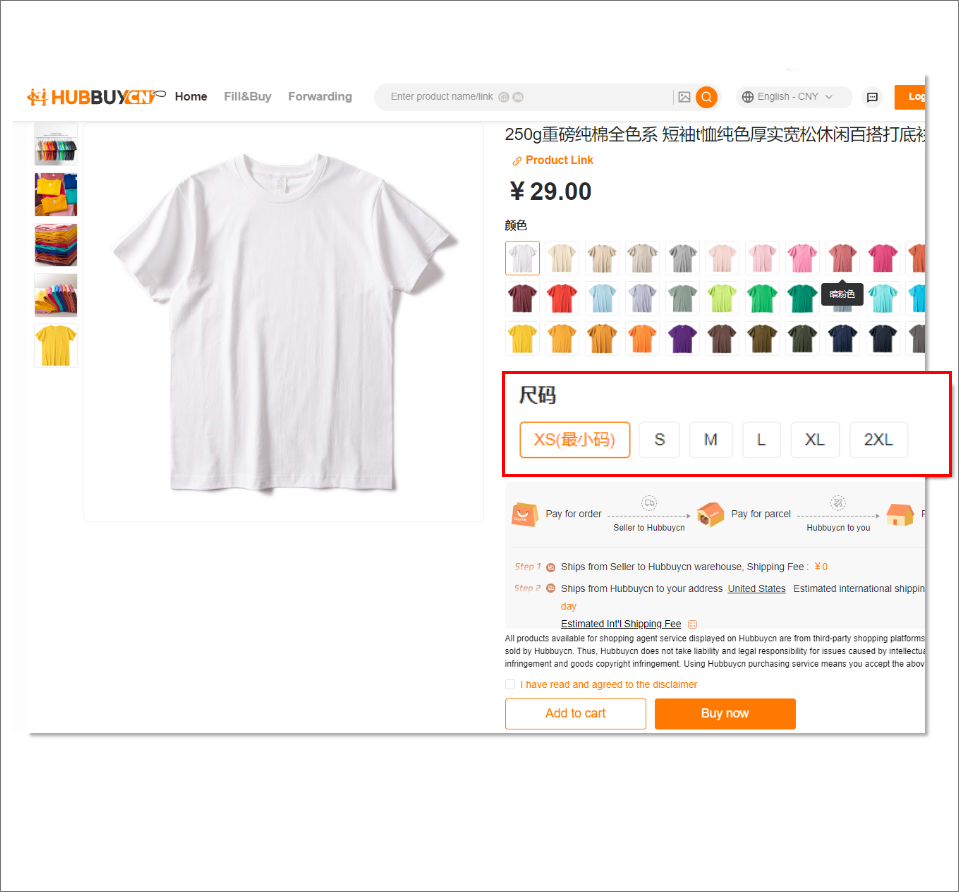
This is the moment where wrong variants creep in. The rebuilt page shows the seller options, not your preferences, so check that the colour and the size selected are the ones you actually meant before anything goes into the cart.

Three steps from a card to a cart
Nothing here needs an account until the last step, so you can price a whole order before you sign up for anything.

Open the card and go to the marketplace
Check that the listing is still live, read the seller page, and look at buyer photos if there are any. This is the only place that information exists.
Copy the address and paste it into HubbuyCN
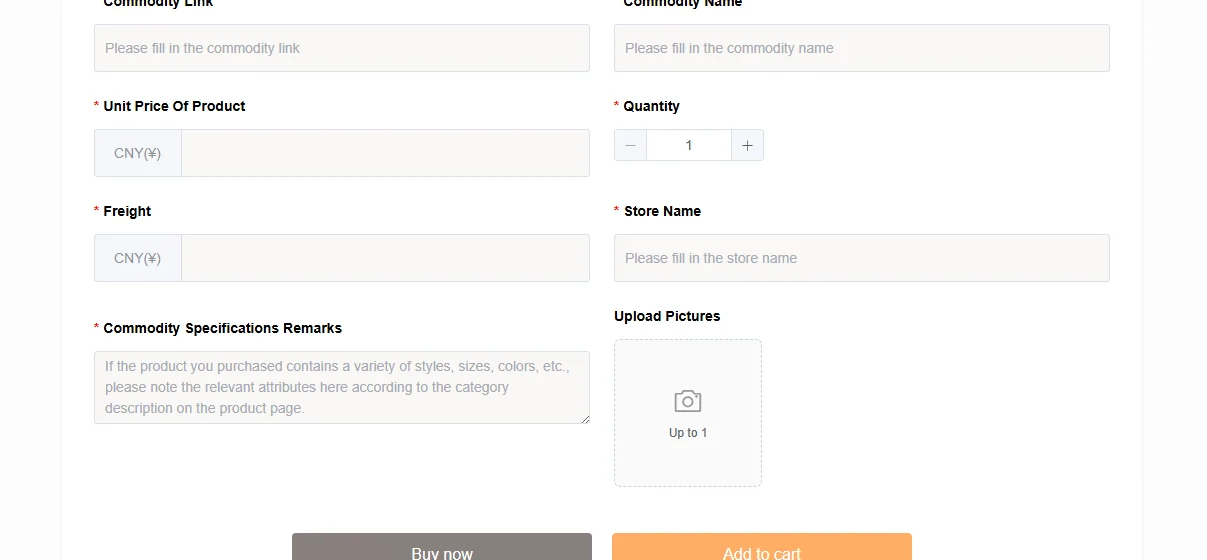
The search box takes a pasted link as well as a product name. If a link refuses to resolve, the Fill and Buy page accepts the same details typed in by hand.
Choose the variant and submit
Colour, size and quantity come from the seller. Confirm them against the original listing, then submit the order and pay the first of the two amounts.
Why use a listings page at all
It is a filter, not a shop
You could search the marketplaces directly. Most people who try it once do not try it twice, because the search is in Chinese, the seller names mean nothing to you, and the same item appears at nine prices with no way to tell which one is the copy of the copy.
A curated listings page collapses that. Someone has already found the item, named it in English, and kept the link that works. What it does not do is verify anything for you, and no listings page anywhere can, because the goods sit with the seller.
Where to browse
We do not host listings. Finding a product and buying it are separate jobs: the catalogue these cards point into is one we publish ourselves, and it held more than 20,000 listings when we counted it in August 2026. Ordering, inspection and shipping are HubbuyCNs.
Sneakers
The category people arrive for. Read the sizing notes before you pick a number.
Open this categoryCategoryHoodies
Forgiving fit and cheap to replace, which makes it a sensible first order.
Open this categoryCategoryWatches
Light enough that freight barely registers. Read the movement description twice.
Open this categoryHubbuyCN officialHubbuyCN itself
Search, Fill and Buy, forwarding and freight calculation all live on the official site. Ordering happens there, not here.
Open the official siteHow to spot a Spreadsheet site that nobody maintains any more
Catalogues decay quietly. Listings get pulled, shops close, and a page that was useful in spring points at nothing by autumn without changing appearance. Since a dead tile removes the only thing a catalogue was for, rot is the single property worth testing, and testing it needs no trust in anybody.
Pick a handful of tiles at random and follow them. Two or three failures out of ten is a catalogue nobody has swept in a year. Then look for a date, and insist it sits on the catalogue rather than on a blog post beside it. Last, work out whether a category is a real branch or a keyword query dressed as one, because a query reorders itself under you between visits and a branch stays put.
Apply all three here too. The category destinations on this site were resolved against the live catalogue rather than assembled from a pattern, which matters because an earlier pass at this project assembled fourteen official URLs from a pattern and got fourteen dead ends.